

Subscribe to our one-month free trial, without commitment!



Do you keep your clients' contact details in an Excel file? Or in a stack of business cards?
Those methods have their limits. A file can be lost, overwritten or deleted, and your business cards aren't always within reach. Not to mention that there's only so much information you can write on them.
This article explains what CRM software is, and how the AssisTime CRM can help you gather all the information about your clients and prospects in one place and keep it secure.
A CRM (Customer Relationship Management) is software that brings together all the information about your clients and prospects in one place: their contact details, how you categorize them and the history of your interactions with them.
The AssisTime CRM (the Contacts module) does all that, and more. Here's what you can keep on your clients, prospects, suppliers and other contacts:
You can also create your own fields and forms to keep even more information. And since AssisTime is a web application, you can access it anytime, wherever you are, from your computer, tablet or phone.
Here are a few tips to keep your contact information well organized and quickly find what you're looking for.
Whether it's a prospect, a client, a supplier or a partner, take the time to categorize your contacts using the Types section of their record. Click Add a line and enter the type: AssisTime suggests the ones you've already used, so your categories stay consistent. A contact can have as many types as you like:
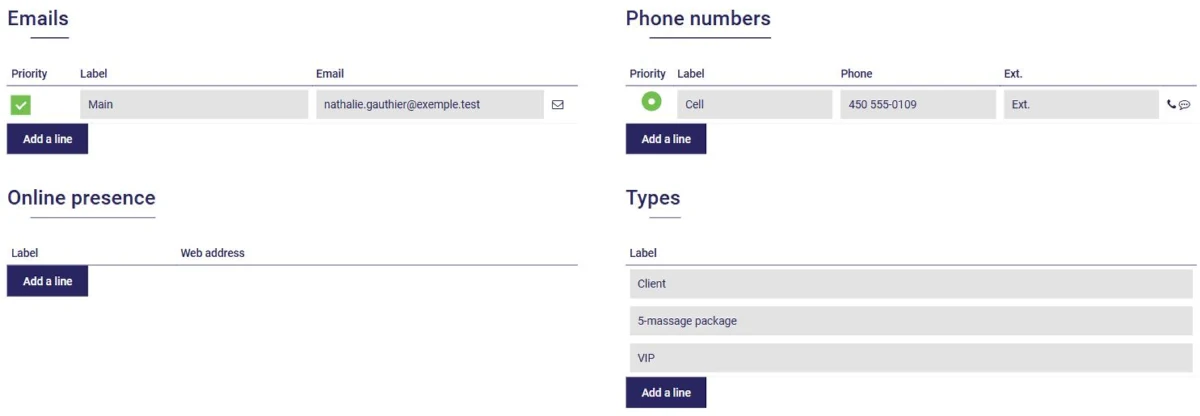
Want to categorize several contacts at once? In your contact list, click Select multiple contacts, check the contacts you want, choose Add a tag, enter the type and click Confirm:
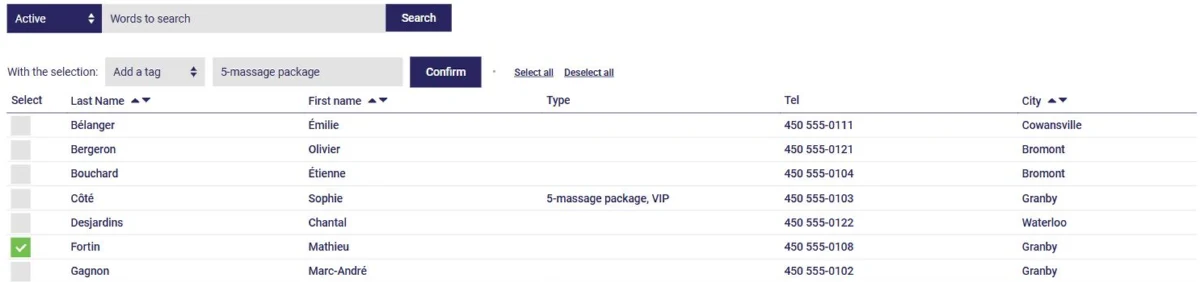
These categories will then help you find your contacts. For example, to get the list of your clients who have a package, simply type that type in the search box of the contact list:

The same multiple selection also lets you make contacts inactive, such as former clients, to lighten your list without losing anything.
Every time you interact with a contact, take a moment to note it in their history. In the contact's record, under Contact record, click History, then Add a meeting. Enter the date, the type of interaction (phone call, email, meeting…) and the information your contact shared with you:
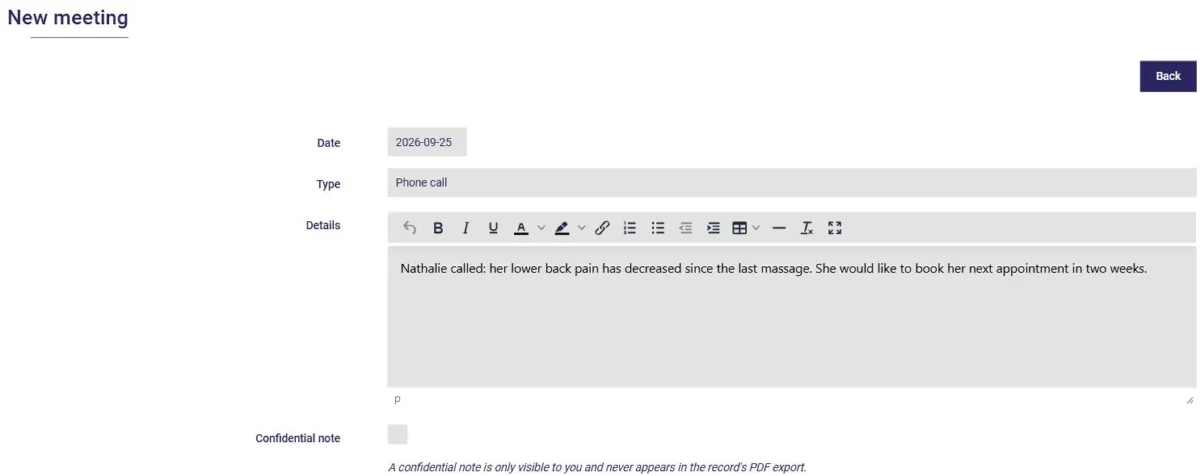
You can also paste in the content of an email you received from your contact. The history thus brings together your notes and their appointments, from newest to oldest:
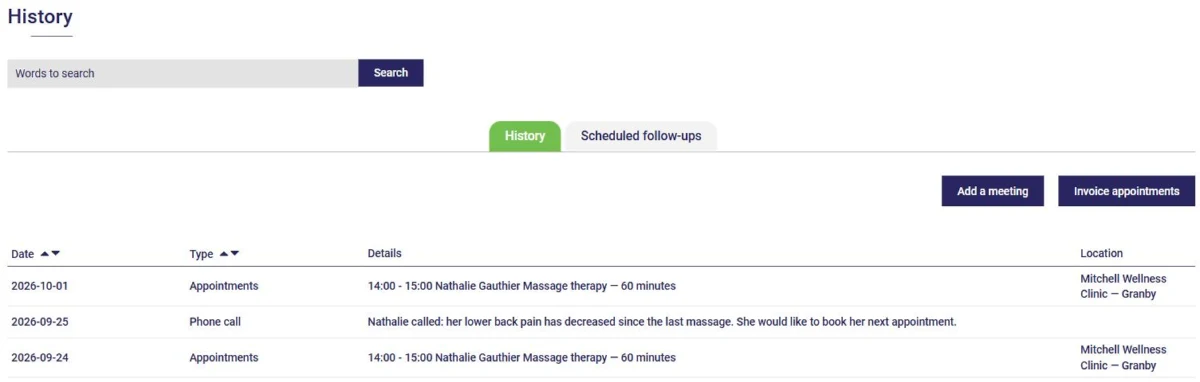
This gives you a complete record of your relationship with each of your contacts. If needed, check Confidential note: only you will be able to see the note.
Need to call a prospect back in two weeks? In their history, open the Scheduled follow-ups tab and click Add a follow-up. When the time comes, AssisTime will remind you to get back in touch, on your home page and in your calendar.
The AssisTime CRM helps you keep all the information about your clients and prospects in one place, securely! Already have your contacts in an Excel file? Import them in just a few clicks (see this article).
Write to us and tell us how you use the AssisTime CRM day to day: we might feature you on this blog!
Subscribe to our one-month free trial, without commitment!
You will be charmed by the interface and the ease of use!
