

Subscribe to our one-month free trial, without commitment!



How do you keep track of every exchange you've had with a client? Scattered files? Paper folders?
AssisTime comes to the rescue! The client history lets you record all your exchanges with a client and find them anywhere, anytime.
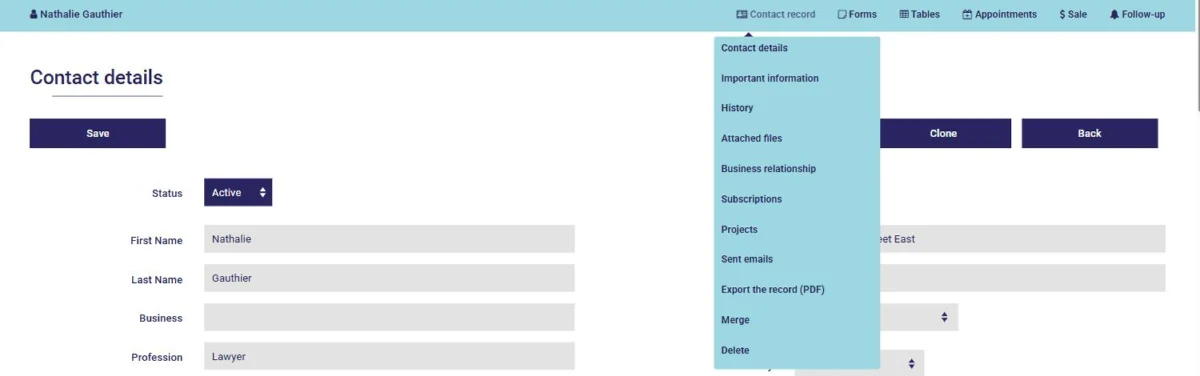
Open your client's record from your contact list or the search tool. In the blue bar at the top of the page, hover over Contact record, then click History:
The history brings together, from newest to oldest, your meeting notes, completed forms and all of this client's appointments in your calendar, with their location:
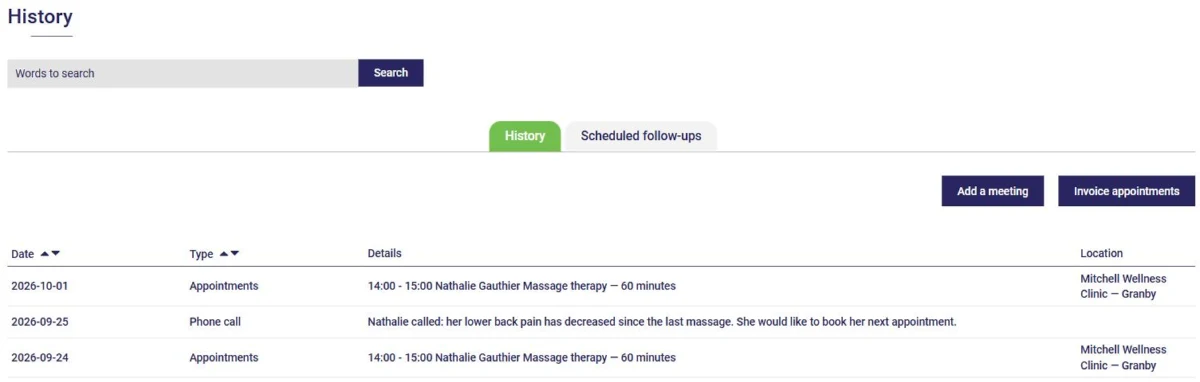
The search box at the top lets you quickly find information anywhere in the client's history.
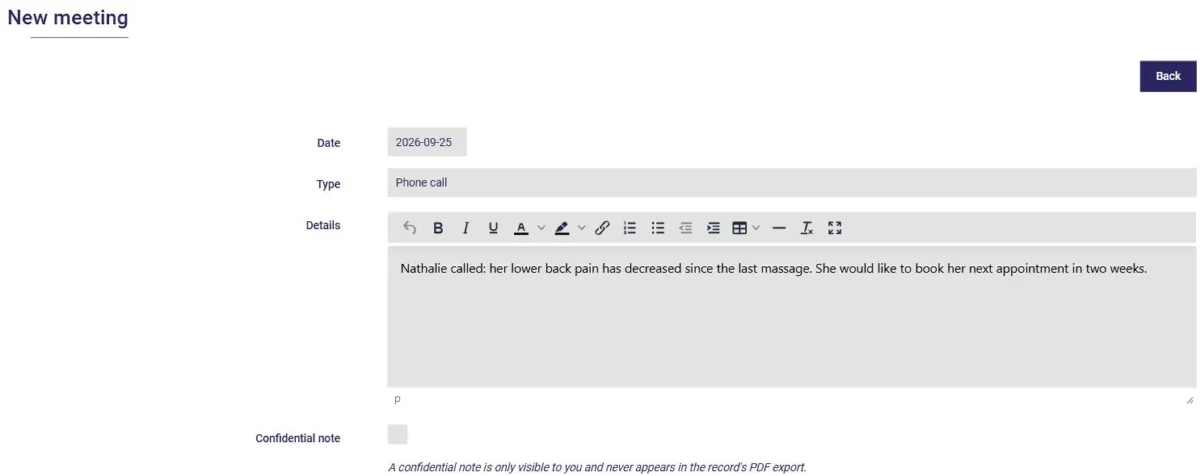
Click Add a meeting to record an exchange with your client. Enter the date, the type of exchange and the information discussed:
Here are a few ideas of what you can record:
Sensitive information? Check Confidential note: only you will be able to see it, and it will never appear in the PDF export of the record.
The Scheduled follow-ups tab shows the upcoming reminders for this client and lets you add one (see this article).
The Invoice appointments button lets you group several of this client's appointments on a single invoice (see this article).
The client history brings together all the relevant information about your exchanges. It's also very handy if you work as a team: your colleagues know where things stand with the client without having to ask you.
Subscribe to our one-month free trial, without commitment!
You will be charmed by the interface and the ease of use!
