AssisTime is ideal for the individual user as well as for those working with several colleagues.
If your user group is large enough, you will receive an additional discount on your subscription!

Your employees punch in on the job site, hours go to the right project, and the invoice is built from the time and materials.
1-month free trial · No commitment · Support in English and French
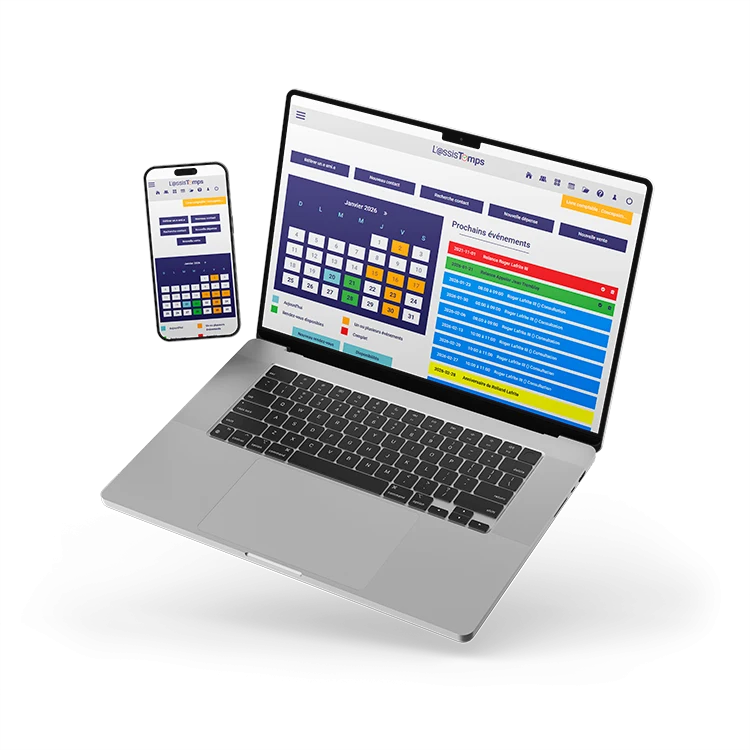
Each employee's hours pieced together on Friday, materials you forget to bill back, a quote retyped as a project and then as an invoice: on a job site, every slip costs money. AssisTime connects the time, materials and invoicing of every contract.
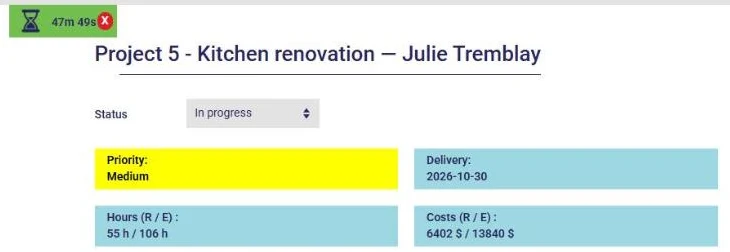
On arrival, the employee starts the timer on the project task, from their phone or a computer; the timer stays on screen while they work. When they stop it, their timesheet is pre-filled: all that's left is to confirm.
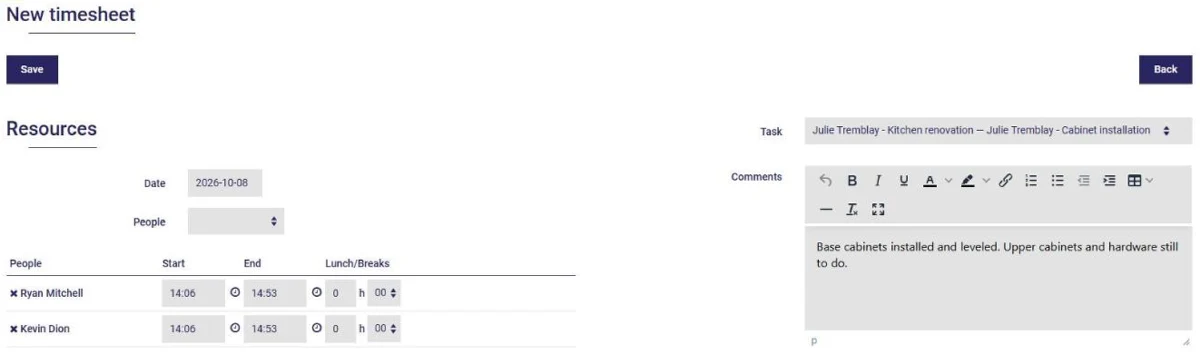
Each employee has their own account and fills in their own timesheet, with the timer or after the fact. Hours are logged to the project and the task, at each person's hourly rate: nothing to copy over.
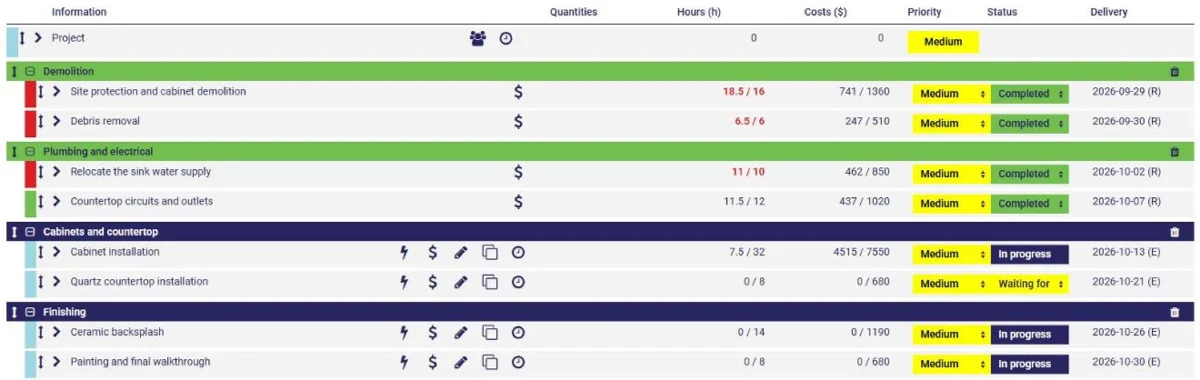
Hours are costed at each employee's rate, and purchased materials are added to the project with your markup. The indicators compare actuals to your estimates and turn red as soon as a contract goes over.
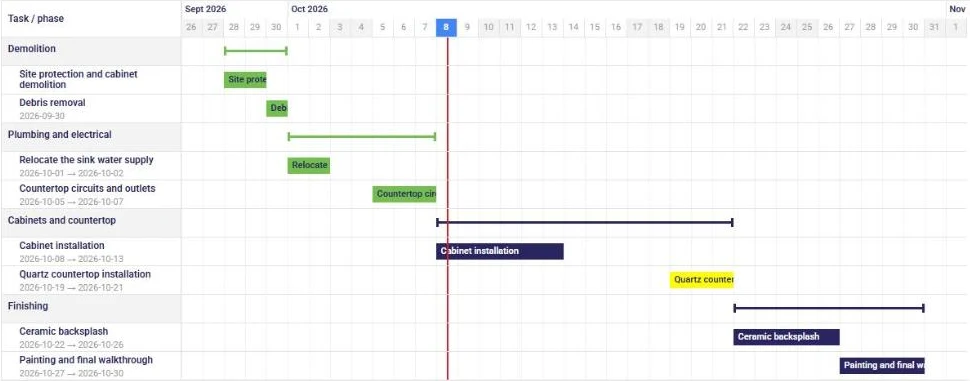
Demolition, framing, finishing: break each job into phases and tasks, assign your crews and follow the schedule in the Gantt chart. Dates are recalculated based on everyone's working hours, and your typical jobs become templates.
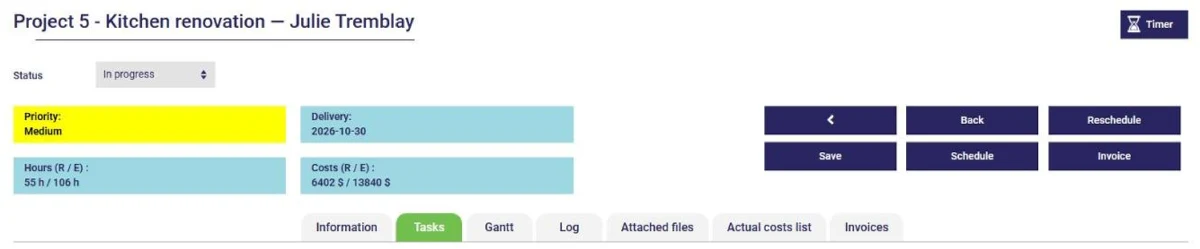
Your client accepted the quote? Turn it into a project: each service becomes a task, each product becomes equipment. Then bill hourly, at a flat rate or by task, from the hours and materials recorded.
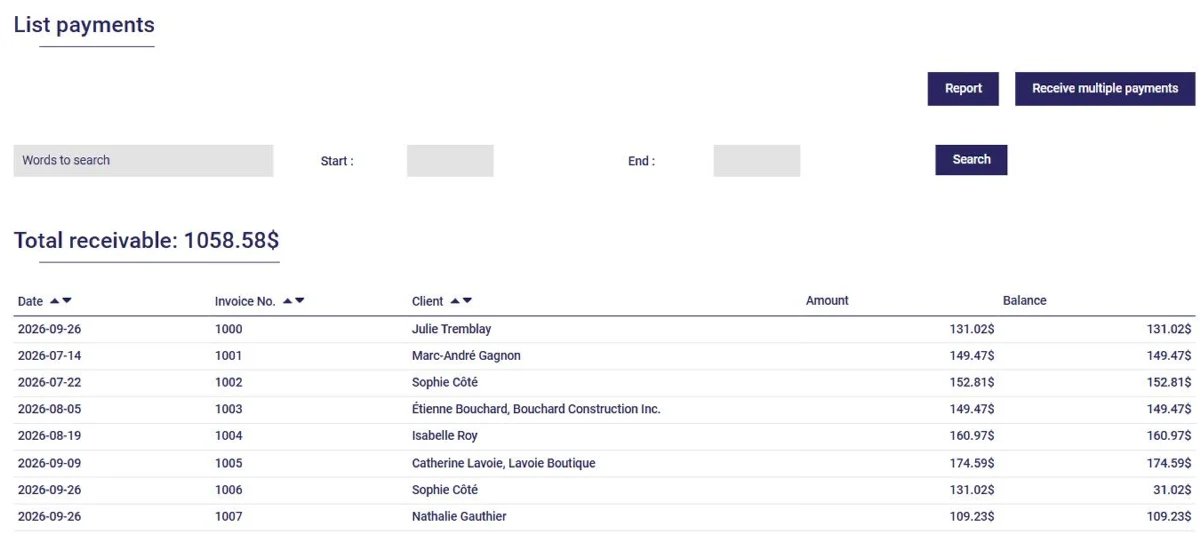
Accounts receivable show who hasn't paid, and an automatic reminder goes out when an invoice remains unpaid. Invoices, payments and expenses feed your books: your GST/QST report is ready.
Project management, with the timer, the calendar and client files, costs $13 per month. With invoicing and accounting: $16 per month (plus tax, 12-month commitment). A discount applies to groups of several users. The first month is free, no credit card required.
Yes. AssisTime runs in the browser, on a phone, tablet or computer. The employee starts the timer on their task when they arrive and stops it when they leave: their timesheet is then pre-filled.
$13 per month for project management, the timer, the calendar and client files; $16 per month with invoicing and accounting (plus tax, 12-month commitment). The first month is free.
Record the purchase in the project: it's added to the job's costs with your markup and carried over to the client's invoice. If you keep your books in AssisTime, the expense is created at the same time.
Yes. On the quote page, the Project button creates the project: each service becomes a task, and each product becomes equipment assigned to the project.
Yes: to punch in and fill in their timesheet, each employee has their own account, and their hours are costed at their hourly rate. A discount applies to groups of several users.
AssisTime is ideal for the individual user as well as for those working with several colleagues.
If your user group is large enough, you will receive an additional discount on your subscription!
Check the modules you want: $3 each
Referral program also available!
Prices for a 12-month commitment. Monthly payments also available (additional fee of $1 + tax per month).
Gather all your customers' information in one place!
Learn more


Create your invoices, enter your expenses, generate your reports in just a few clicks!
Learn more