An employee is paid for 52 weeks and for every hour at work. You are only paid for the hours you bill: your rate has to cover the rest.
(52 weeks − weeks without billing) × billable hours per week
Example: (52 − 6) × 25 h = 1,150 hours per year
(Target income × (1 + cushion) + expenses) ÷ billable hours
Example: ($50,000 × 1.15 + $8,000) ÷ 1,150 h = $56.96 per hour
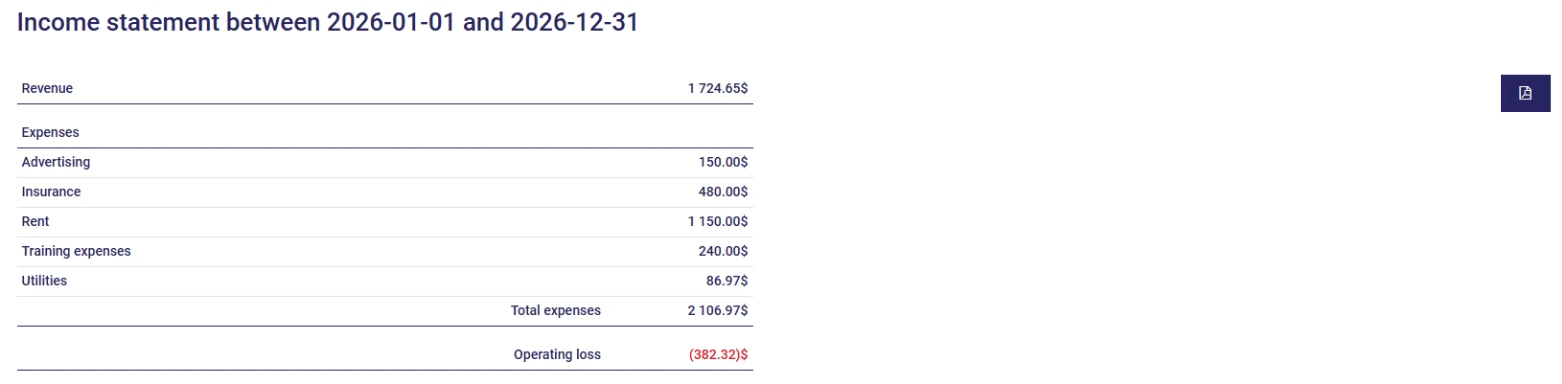
AssisTime takes your appointments online, sends the reminders, turns an appointment into an invoice in one click and keeps your books as you sell. Your income statement shows you at any time whether you are on track to reach your target income.
Add up the income you are aiming for, a cushion for your contributions and surprises, and your business expenses. Then divide by the number of hours you will actually bill in the year: the weeks you work multiplied by your billable hours per week.
Fewer than you might think. Admin, invoicing, follow-ups, prospecting and travel take up a good part of the week: many freelancers bill 20 to 30 hours out of a 40-hour week. Every hour of admin you get back becomes a billable hour.
As a self-employed worker, you pay both the employee and the employer share of the Québec Pension Plan, and a higher rate for the QPIP. You also have no employer contributing to your retirement or paying for disability insurance. The cushion sets that money aside; adjust it to your situation.
Everything the business pays to operate: software, rent or the business share of your home, liability insurance, professional order or association dues, training, equipment, phone, vehicle, accountant. Last year's income statement is the best starting point.
No. The calculated rate is before taxes: if you are registered for sales taxes, the GST and QST are added on top. The calculator also shows the rate with taxes included.
Gather all your customers' information in one place!
Learn more
Create your invoices, enter your expenses, generate your reports in just a few clicks!
Learn more