AssisTime is ideal for the individual user as well as for those working with several colleagues.
If your user group is large enough, you will receive an additional discount on your subscription!

Create your invoices and quotes in a few clicks, let the taxes calculate themselves and get paid faster.
1-month free trial · No commitment · Support in English and French
With AssisTime, the invoice starts from what you already do: an appointment, an accepted quote, project hours or a subscription. Your clients receive a clear invoice and pay it online, and your books stay up to date without double entry.
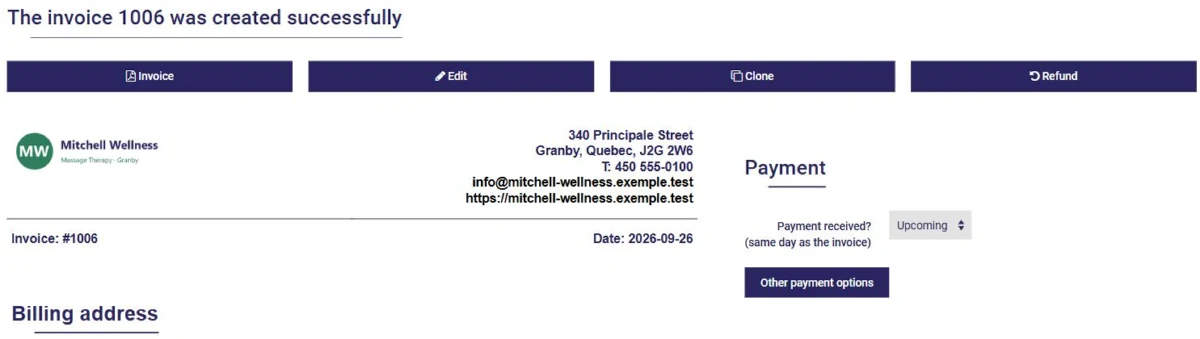
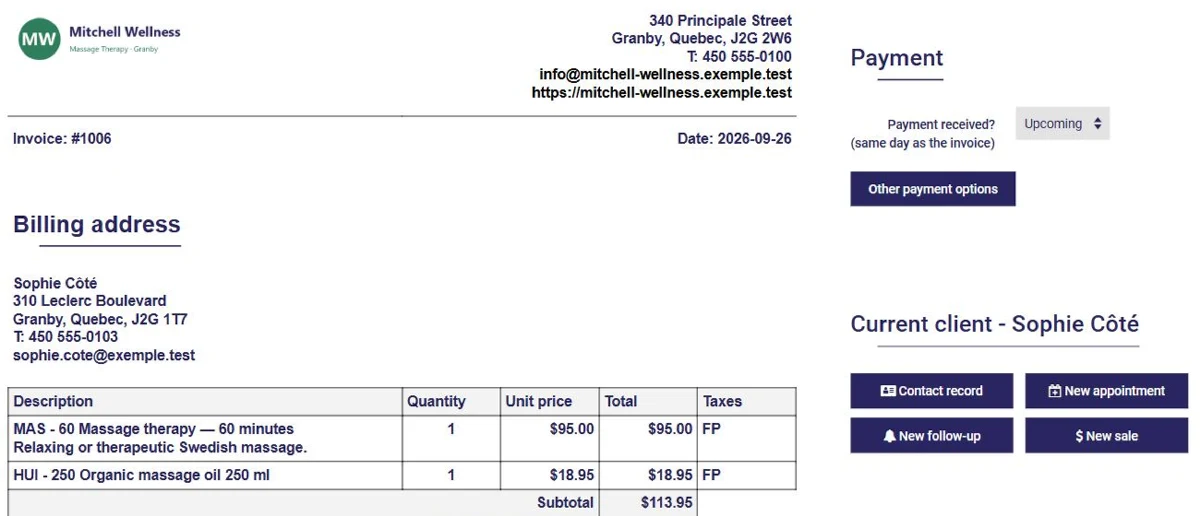
Choose the client, add your products or services and their quantity: totals and taxes are calculated automatically. The invoice is produced as a PDF and emailed in one click.
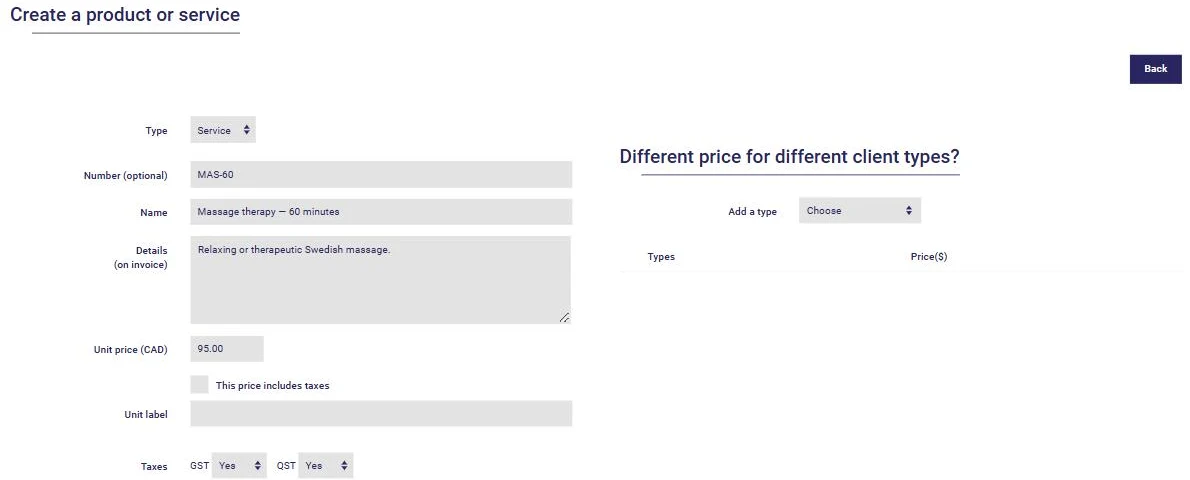
In Canada, GST, HST and QST are determined by your client's province, at the rates in effect on the invoice date, and your registration numbers appear on your invoices. Outside Canada, you set up your own taxes.
Your clients pay their invoices online by credit card. All you need is an account with one of the supported providers: Stripe, PayPal, Square or Clover. The payment is recorded on the invoice automatically.
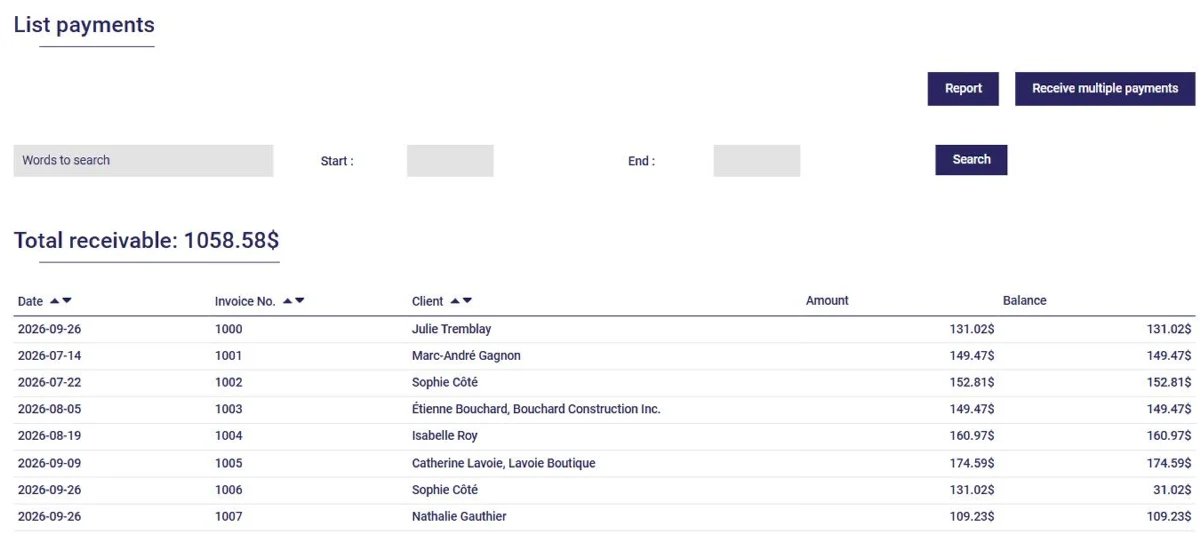
Set your payment terms: the due date appears on every invoice. Reminders go out automatically as long as an invoice remains unpaid, and a statement of account can be sent to your clients every month.
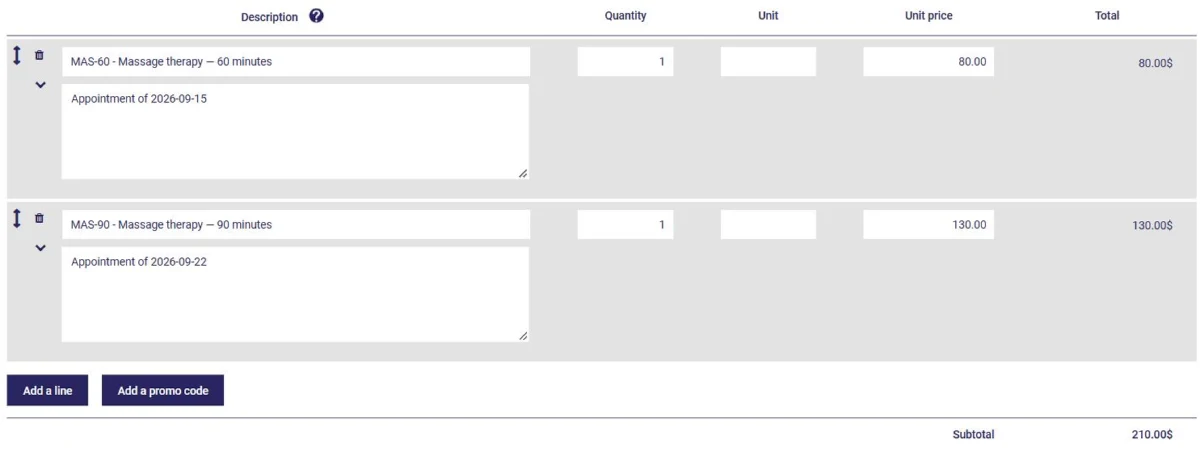
Invoice an appointment right from the calendar, or group several appointments of the same client on a single invoice. In project management, bill by the hour or at a flat rate, task by task.
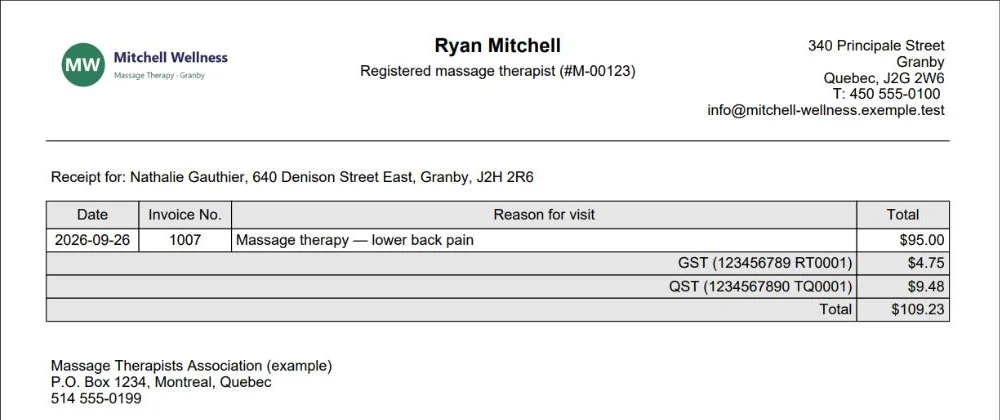
Produce professional fee receipts with your title, membership number and signature, so your clients can get reimbursed by their insurance. What a receipt must include
Invoicing is part of the Accounting and Invoicing module, which is added to the base plan for $3 per month, or $13 per month in total (taxes extra, 12-month commitment). The first month is free.
It is a tool that produces your invoices and quotes, calculates taxes, emails invoices and tracks payments, so you always know who owes you what.
No, but you can try it free for one month, with no commitment. After that, invoicing comes with the Accounting and Invoicing module, from $13 per month (plus taxes), base plan included.
Yes. In Canada, GST, QST and HST are calculated according to your client's province, at the rates in effect on the invoice date. If your business is outside Canada, you enter your own taxes and rates in your profile.
Yes, by credit card, if you have an account with Stripe, PayPal, Square or Clover. The payment received is recorded on the invoice automatically.
Yes. An accepted quote turns into an invoice in one click, or into a project if the engagement involves several tasks.
Yes. The accounting module comes in two versions: freelancer and incorporated business. Your invoices feed your tax reports and your income statement directly.
AssisTime is ideal for the individual user as well as for those working with several colleagues.
If your user group is large enough, you will receive an additional discount on your subscription!
Check the modules you want: $3 each
Referral program also available!
Prices for a 12-month commitment. Monthly payments also available (additional fee of $1 + tax per month).
Gather all your customers' information in one place!
Learn more


Create your invoices, enter your expenses, generate your reports in just a few clicks!
Learn more