

Subscribe to our one-month free trial, without commitment!



Would you like certain important information to jump out at you as soon as you open a client record?
For example, you're a massage therapist and you need to know that your client has an allergy or a particular physical condition before you start the treatment?
Good news: AssisTime has exactly what you need!
In this article, you'll see how to enter important information about your clients, and how you'll never miss it again.
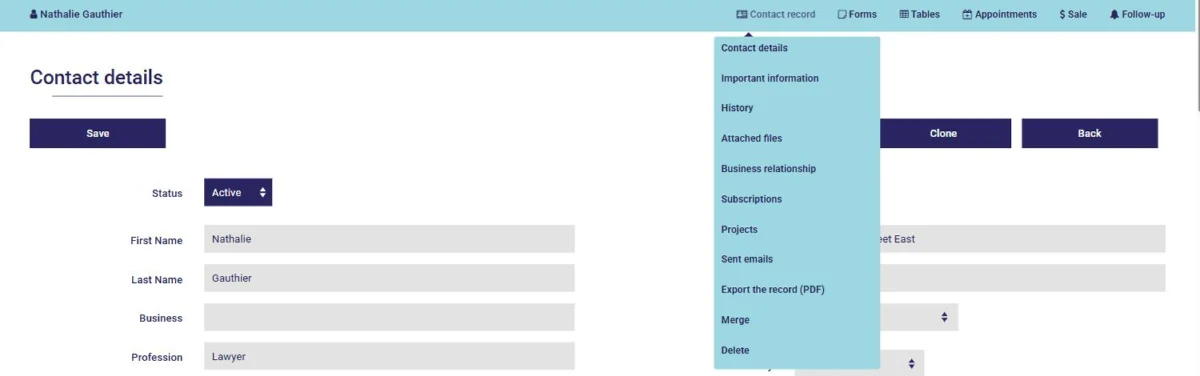
First, open your client's record, from your contact list or with the search tool. In the blue bar at the top of the page, hover over Contact record, then click Important information:
Click Add a field to add a line, and enter your information on it. You can add as many lines as you need:
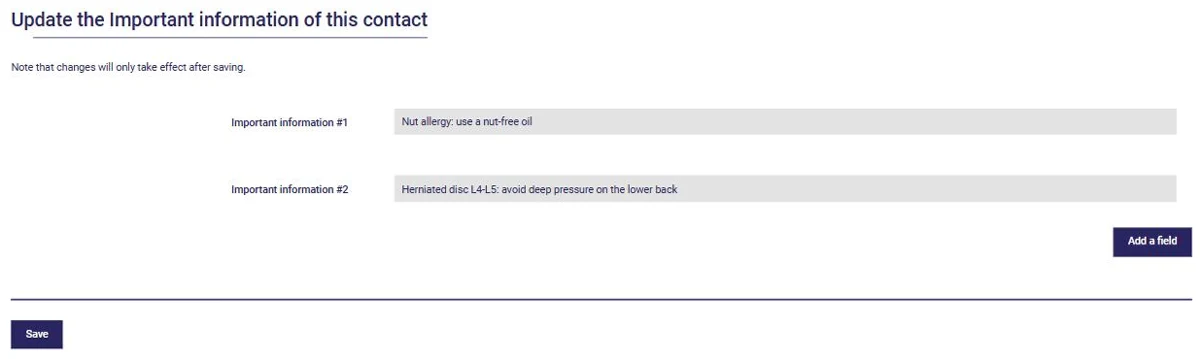
Then click Save: the information is added to your client's record. Like the rest of your clients' details, it is stored encrypted.
To change a piece of information, simply edit its text. To delete it, clear the text on that line. Either way, click Save.
The next time you open this client's record, their important information will be displayed in a window on top of the record:
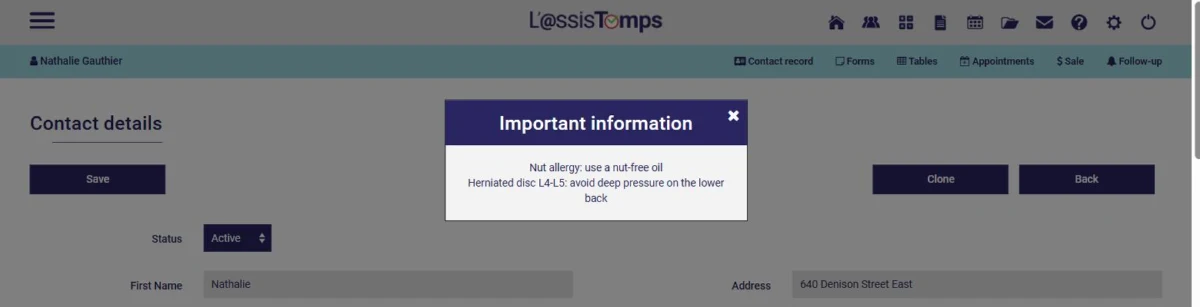
Click the X at the top right to close the window and carry on working in the record. The window appears when the record opens, then doesn't bother you again while you work in it.
That way, you can no longer overlook your clients' important information!
Tell us how you use important information in your client records: we might feature you on this blog!
Subscribe to our one-month free trial, without commitment!
You will be charmed by the interface and the ease of use!
