

Subscribe to our one-month free trial, without commitment!



Did you know that AssisTime can also collect payment for your appointments directly from your online appointment booking portal? When clients book, they pay at the same time: your money is collected without you having to deal with invoicing!
Note: you must subscribe to the AssisTime accounting module to invoice from your portal. Online payment is handled through Stripe: enter your Stripe keys under Accounting, Customize, Payments.
Payment is set for each of your appointment types. Open the main menu (the three-line icon at the top left), then go to Calendar, Customize, Appointment types, and click an appointment type.
In the Accounting section, check Enable invoicing from this appointment type and add at least one product or service (see the article Save Time by Creating Your Invoices from Your Appointments). You can also offer options that clients can add to their booking, for example a massage oil:
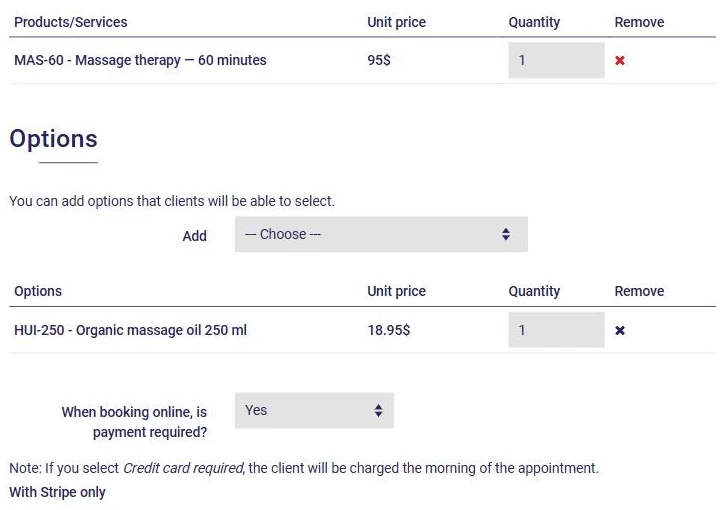
For the question When booking online, is payment required?, you have three choices:
Don't forget to click Save. And there you go: your clients can now book and pay with ease! To learn more about the portal, read the article Let AssisTime Book Your Appointments.
Subscribe to our one-month free trial, without commitment!
You will be charmed by the interface and the ease of use!
