

Subscribe to our one-month free trial, without commitment!



To plan a project properly and estimate its costs, you need to add the resources required to carry it out: the people who will work on it and the equipment used. This article shows you how, quite simply.
First, you define your resources once and for all, with their costs. Then you add them to your projects' tasks: AssisTime calculates the estimated hours and costs, then compares them with the actuals.
Open the main menu (the three-line icon at the top left), then go to Projects, Customize, Resources. You can also click Resources at the top of your project list.
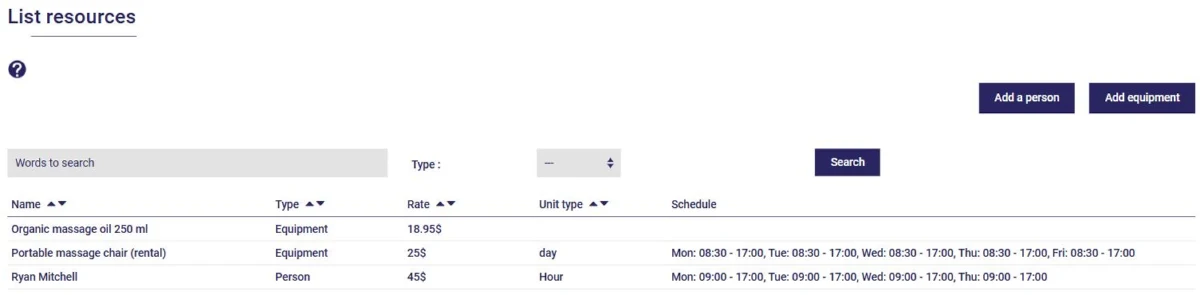
Every user in your group is automatically added as a resource. The Add a person and Add equipment buttons let you add more.
For a person, enter their name, the quantity label (hour, day…), their regular rate and their overtime rate. These rates represent what the person costs you: they're used to calculate the actual cost of your projects.
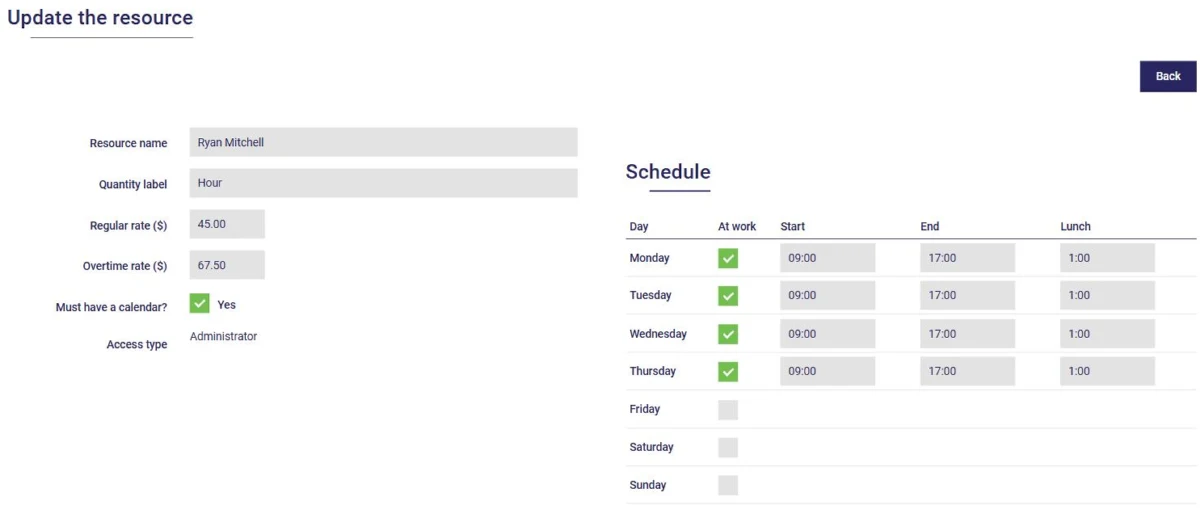
If the person has a calendar, specify their work schedule, day by day, with the length of their lunch break. AssisTime uses it to schedule the tasks assigned to them. For an employee, the Supervisor Access type lets them fill out their own timesheet, as well as those of other employees.
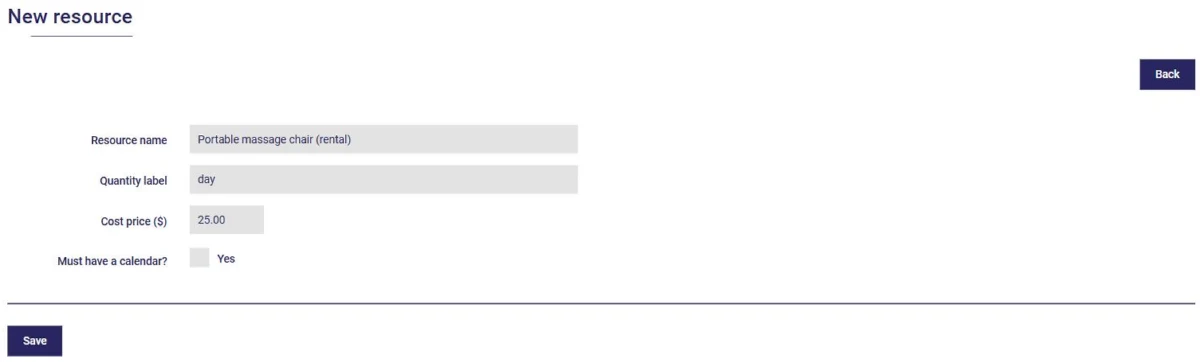
The process is similar for equipment: enter the resource's name, the quantity label (day, sheet, litre…) and its cost price.
Open your project, then edit a task using the pencil icon in the Tasks tab (see this article). The Resources section on the right lets you add your resources to it:
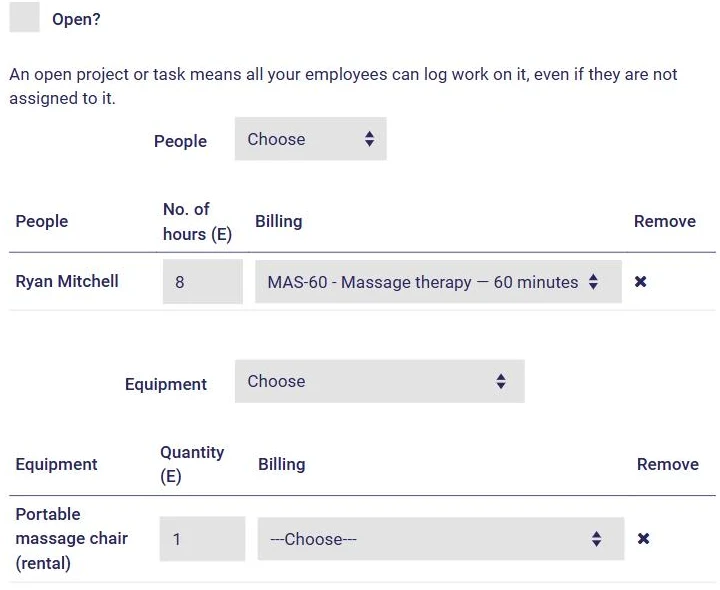
Click Save. The task's estimates are added to the project's, and your project's Hours (A / E) and Costs (A / E) indicators are updated (see this article). The project's Reschedule button takes the assigned people's schedules into account when recalculating the task dates.
Your resources are in place: you can now plan your projects and track their costs accurately!
Subscribe to our one-month free trial, without commitment!
You will be charmed by the interface and the ease of use!
