

Subscribe to our one-month free trial, without commitment!



Did you know that AssisTime lets you ask your clients custom questions when they book an appointment online? An injury to report, how they heard about you, a particular preference… You get the information before the appointment even starts!
Open the main menu (the three-line icon at the top left), then go to Calendar, Customize, Online appointments. Then click the Questions tab.
In the Appointment booking section, click Add a question. For each question, you specify:
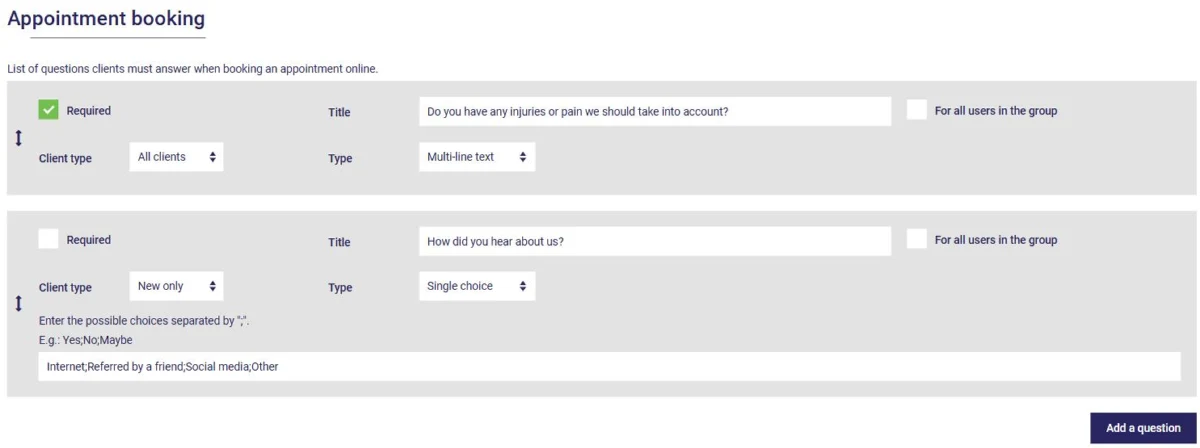
Drag the questions by the handle on the left to change their order.
For the Multiple answers and Single choice types, enter the possible choices separated by semicolons, for example: Internet;Referred by a friend;Social media;Other.
Don't forget to click Save.
Your questions are added to the booking form, below the client's contact information:
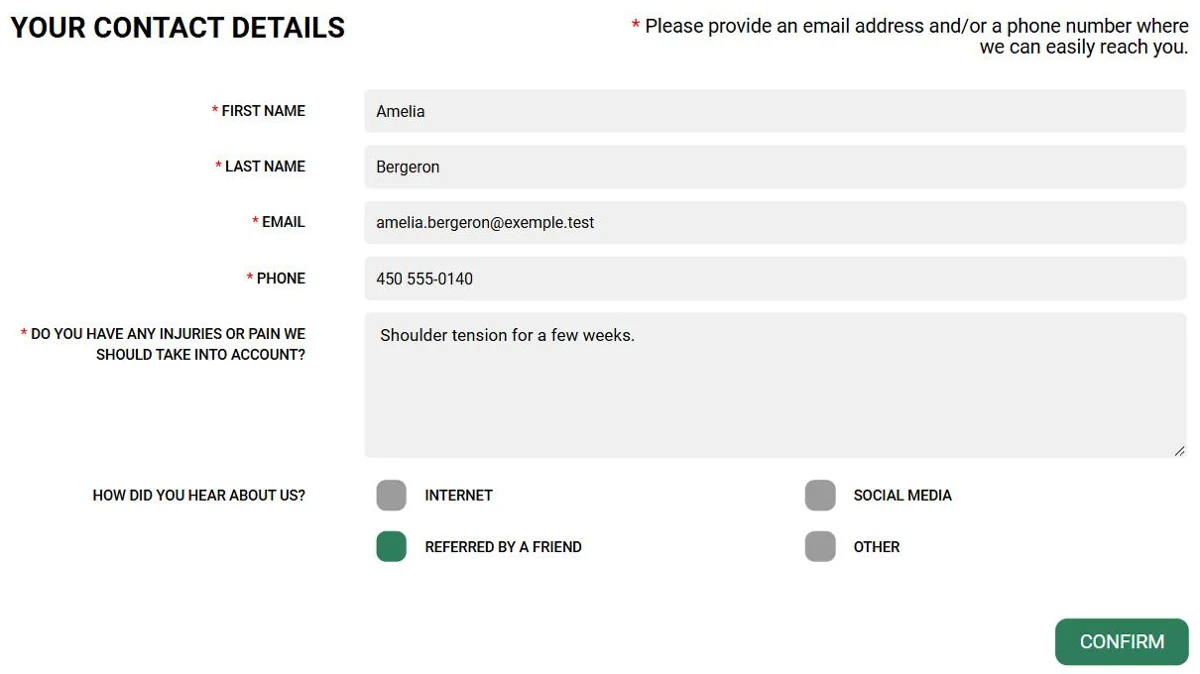
The answers are added to the appointment description in your calendar and to the email notifying you of the new booking. Any attached file is saved in the client record.
Further down on the same tab, the Waiting list section also lets you ask questions of clients who sign up for your waiting list (see this article).
Now you know more about your clients before they even walk through your door!
Subscribe to our one-month free trial, without commitment!
You will be charmed by the interface and the ease of use!
