

Subscribe to our one-month free trial, without commitment!



AssisTime is constantly evolving! We work tirelessly to offer you a solution that fits your needs perfectly. Thank you to our users, thanks to whom we can keep improving the software over time!
In some cases, appointment confirmation and reminder emails need to go to several recipients. You can now do this by checking the box next to each email address you consider a priority.
For example, if your client is a child whose parents are separated, you can set up two priority emails, one for each parent. That way, both will be informed of upcoming appointments.

The list of inactive contacts has been improved and is now available through the search, by selecting the appropriate status in the drop-down menu.
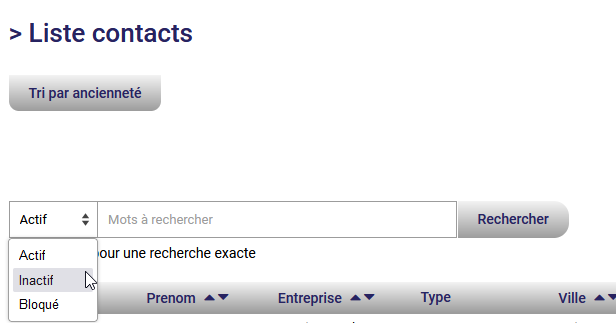
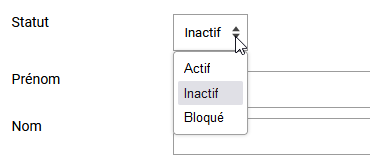
A new status, "Blocked", has been added. This status lets you blacklist unwanted clients. Once a client is blocked, they can no longer book appointments through your portal.
When clients reach the confirmation page after booking an appointment, new buttons let them easily add that appointment to their calendar.
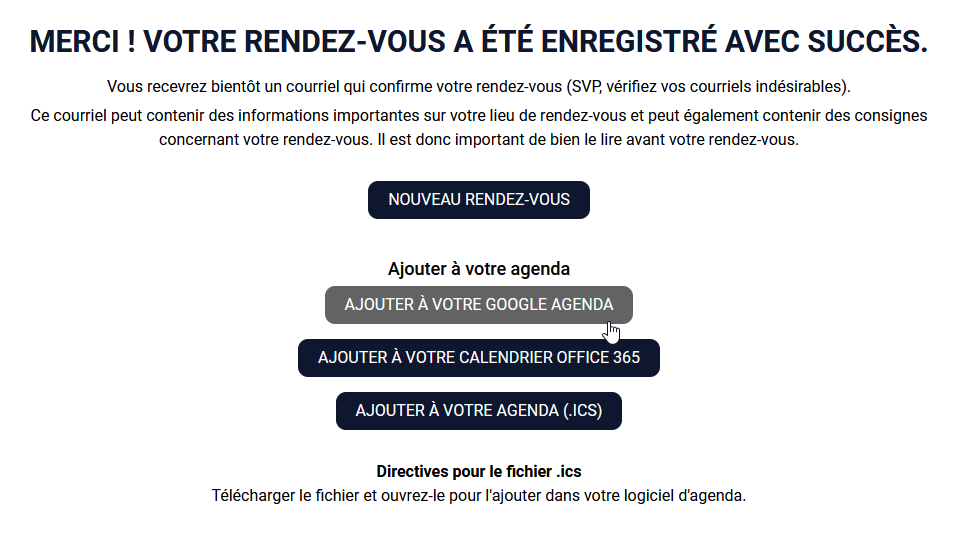
Your clients can choose to add the appointment to their Google or Office 365 calendar. If they use software such as Outlook, they can also download the .ics file and open it to add the appointment directly to their calendar.
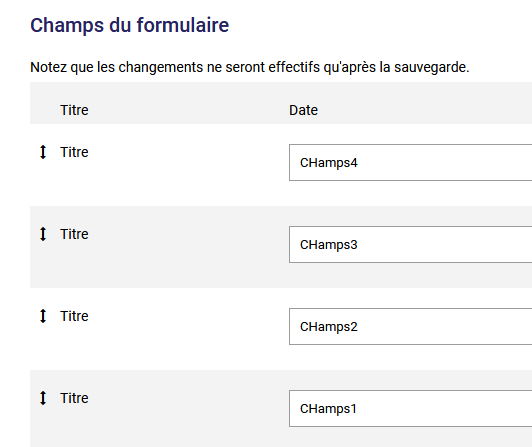
Changing the order of fields in custom forms used to be a tedious process, especially when a form had many fields. We improved this feature by replacing the numeric ordering with a drag-and-drop system. Now all you have to do is click the arrows and move your fields to rearrange them easily.
Until now, when you opened a client's record, you could click a button to call them directly from your phone. We've added a second button that now lets you send the client a text message, also from your phone.

Subscribe to our one-month free trial, without commitment!
You will be charmed by the interface and the ease of use!
