

Subscribe to our one-month free trial, without commitment!



Do you like to sell your products and services at a round price? For example, do you sell your product for $40, taxes included?
Well, you no longer need to pull out your calculator to work out the unit price: AssisTime now does it for you!
The first step is to set up your products and services to indicate that their price includes taxes.
To do this, go to the following menu:
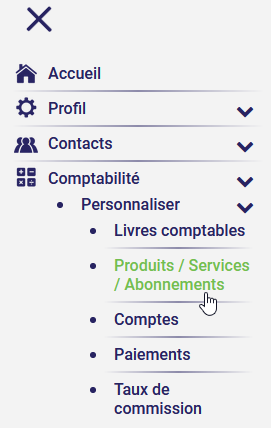
Select an existing product or service, or create a new one.
When editing the product or service, check this box to tell AssisTime that the price includes taxes:
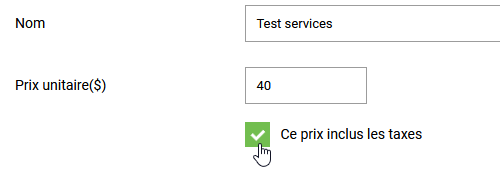
Finally, save your product or service.
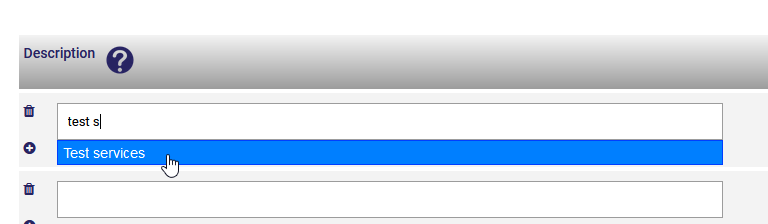
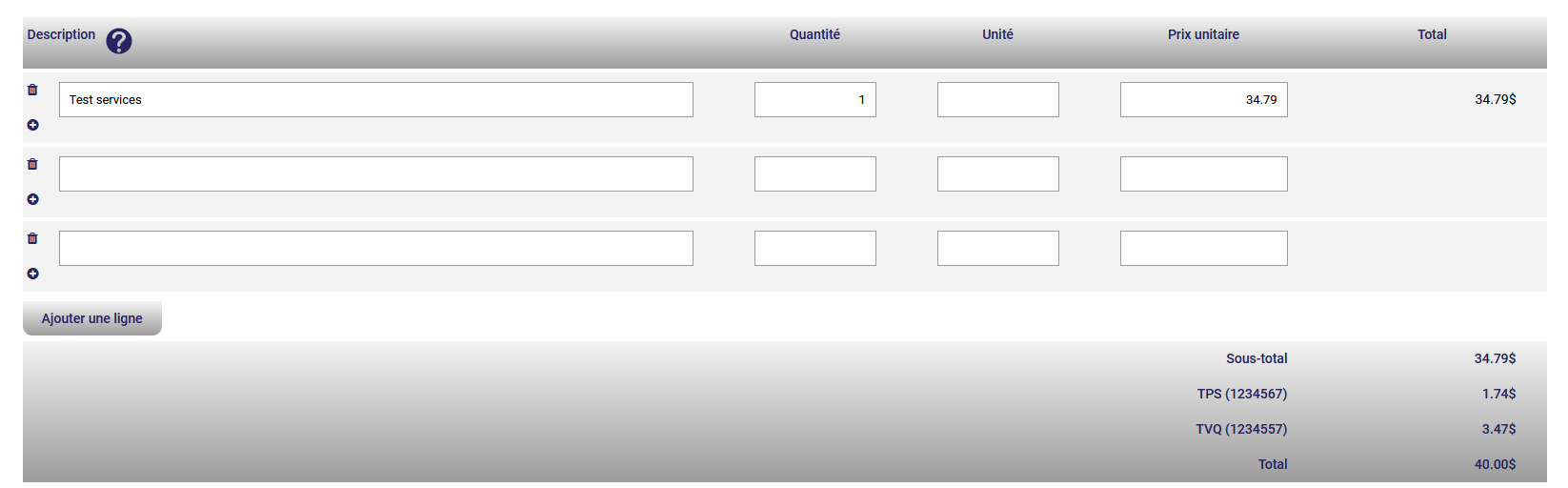
From then on, when you add this product or service to an invoice, the unit price will be calculated automatically.
Type the first few letters of your product or service and select it from the suggestions:
You'll see that the total amount is exactly the amount you set in the previous step:
With AssisTime, spend less time on tedious calculations and more time on what you do best!
Subscribe to our one-month free trial, without commitment!
You will be charmed by the interface and the ease of use!
