

Subscribe to our one-month free trial, without commitment!



Do you issue tax receipts to your clients?
You can now generate them in just a few clicks with the Client report!
To do so, select your client and open their record. Then, in the Contact menu (blue bar at the top), click Contact record / Business relationship.
Next, simply click the Client report button:
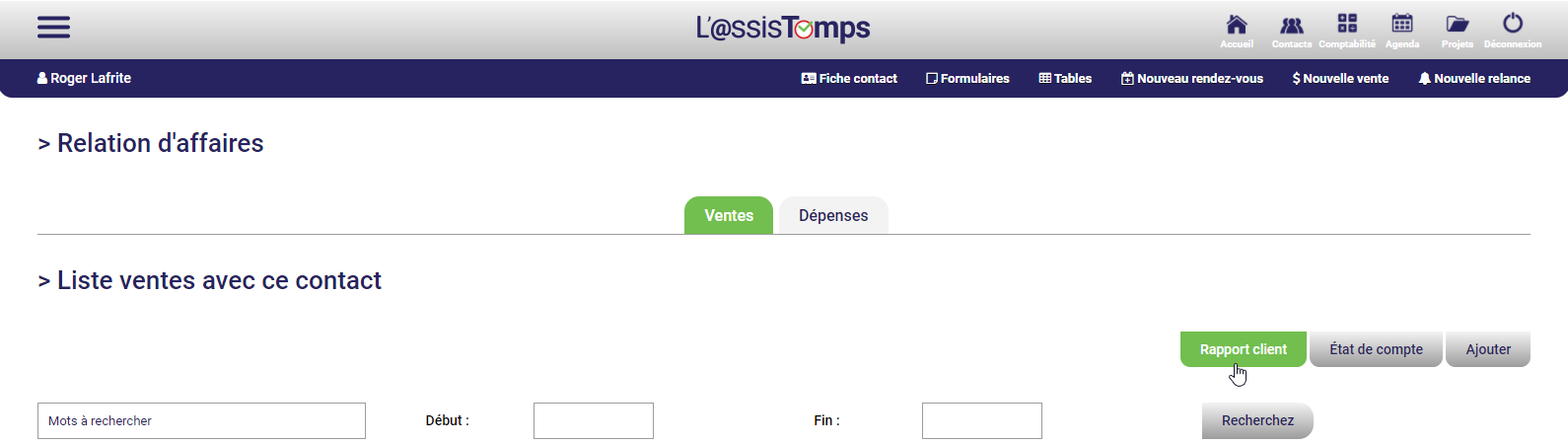
Then enter the start and end dates of the period and click Generate the report.
The report appears on screen. You can then save it as a PDF or email it directly to your client. All without printing a single sheet of paper!
Happy tax season!
Subscribe to our one-month free trial, without commitment!
You will be charmed by the interface and the ease of use!
