

Subscribe to our one-month free trial, without commitment!



What better way to showcase your services and thank your clients than with a gift card? With AssisTime, you can create gift cards in just a few clicks, and your clients can use them to pay their invoices.
Open the main menu (the three-line icon at the top left), then go to Accounting, Gift Cards. The list shows your cards, with their amount and balance. Click Add:
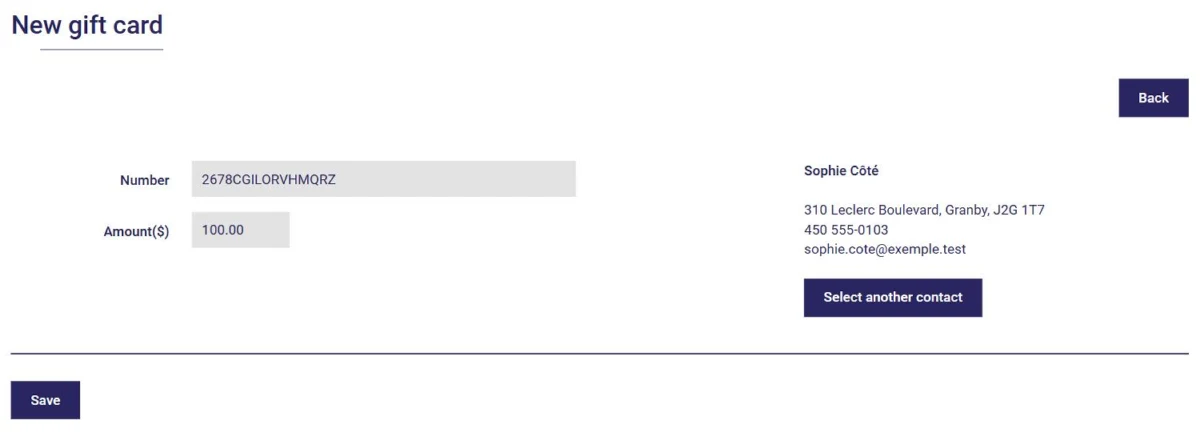
Click Save. Two buttons then appear at the top of the card: one to open it as a PDF, ready to print, and the other to email it to your client.
When you complete an invoice, click Other payment options. Choose Gift card as the payment type, enter the card number and click Check gift card:
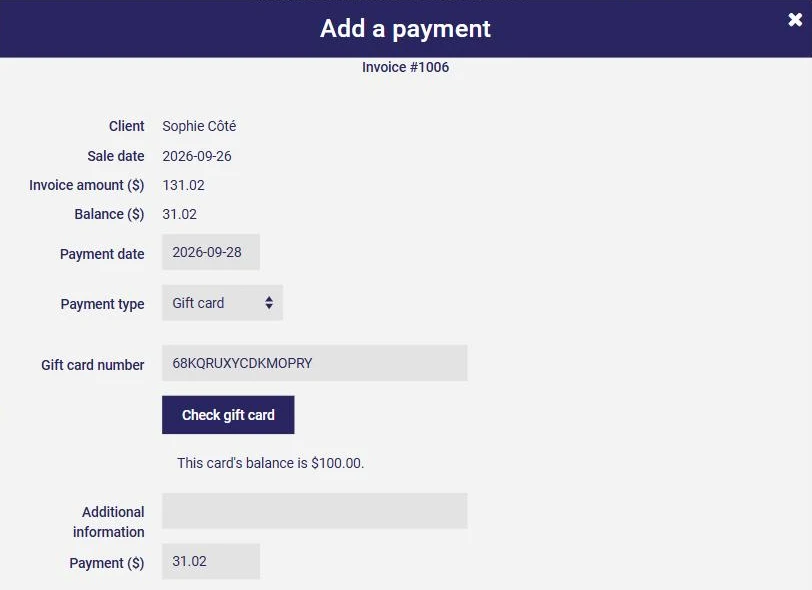
AssisTime displays the card's balance and enters the payment amount. Click Complete.
The payment is added to the invoice, and the remaining balance can be paid another way, for example by credit card or in cash:
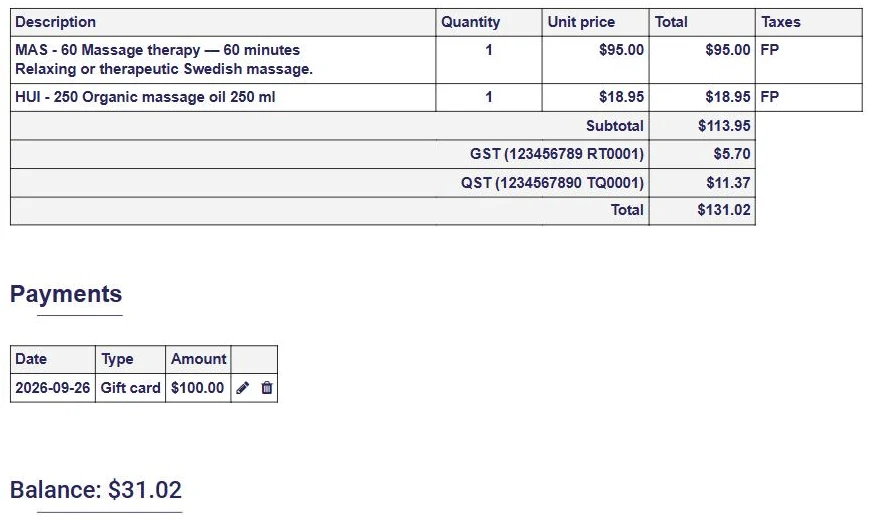
The card's balance is updated automatically. When you open the card from your list, you see its balance and the list of invoices it was used on.
A gift card is a great way to attract new clients and thank your loyal ones!
Subscribe to our one-month free trial, without commitment!
You will be charmed by the interface and the ease of use!
