

Subscribe to our one-month free trial, without commitment!


Your clients are in AssisTime, but your mailing list lives somewhere else? Every time you want to write to them, you have to export your contacts to another tool, manually remove the people who unsubscribed, then start all over again for the next mailing. It takes time, and a mistake can be costly under Canada's Anti-Spam Legislation.
The AssisTime Newsletters module solves this problem: your newsletters go out straight from your contacts. And it just received a major update: a new block editor, a sign-up form for your website and detailed statistics. Here's what's new.
Do you already sort your contacts with tags (client, patient, partner, interested in classes…)? Link a mailing list to a tag: the contacts who have that tag are added to the list before each mailing. Nothing left to export.
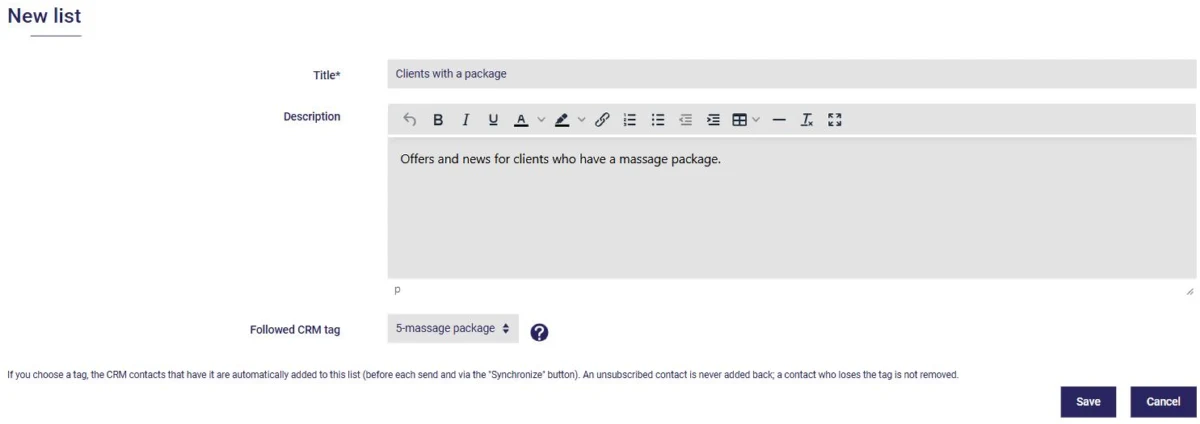
You can create several lists (your active clients, your website subscribers, your partners…) and add subscribers manually when needed. Best of all: someone who unsubscribed is never added back, even if they still have the tag.
No more long, one-piece emails. You now build your newsletter with blocks:
Drag the blocks into the order you want and see a live preview of your newsletter right beside the editor.
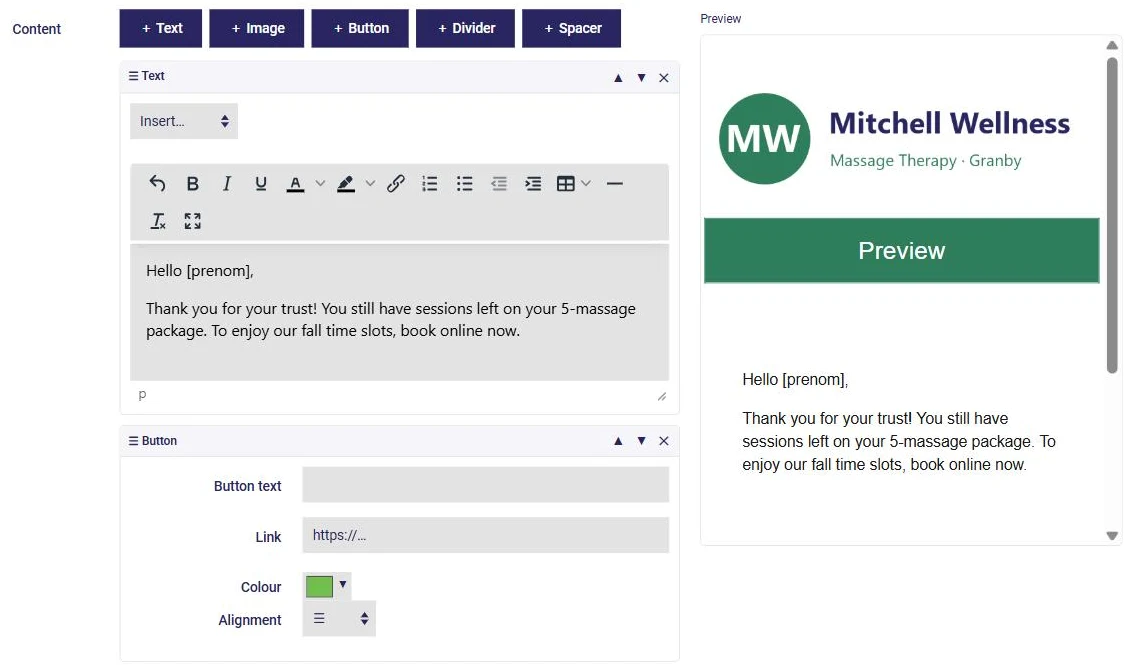
For a more personal touch, insert each recipient's first name, last name or company: everyone receives a newsletter addressed to them.
Also new: you can add a newsletter sign-up form to your own website. AssisTime gives you the code to paste into your page, and your site keeps its look.
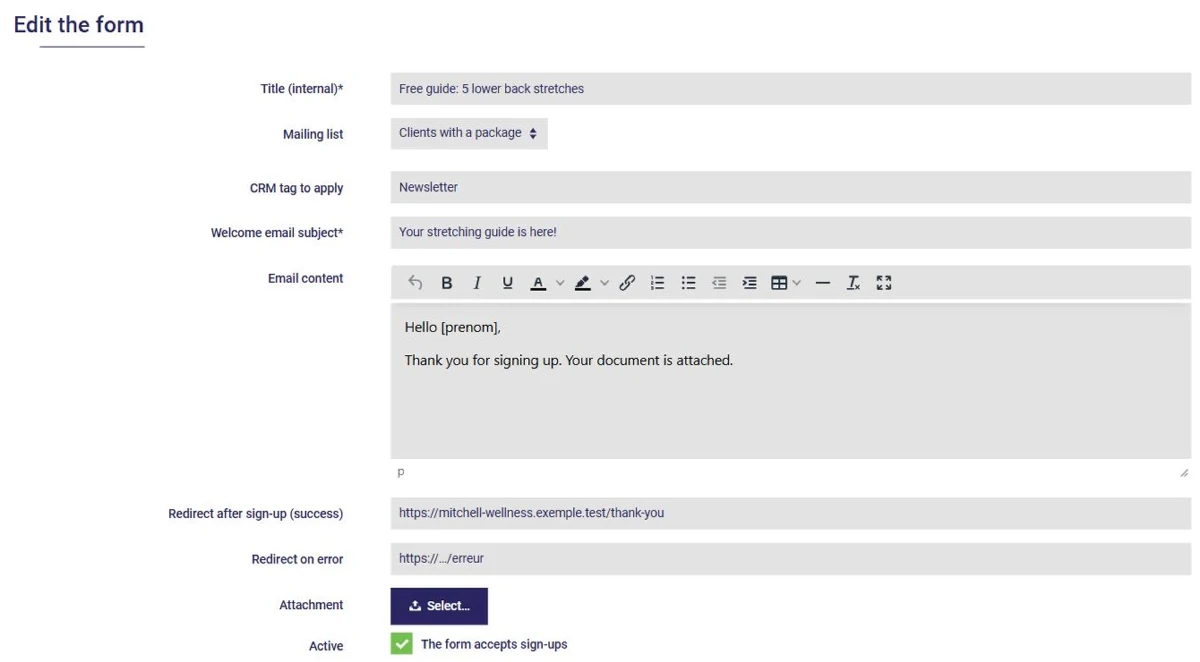
Everyone who signs up:
That attachment is a great way to thank your new subscribers: an exercise guide, seasonal tips, a welcome coupon…
Canada's Anti-Spam Legislation (CASL) requires, among other things, that every newsletter offer a simple way to unsubscribe and show the sender's mailing address. AssisTime adds both automatically at the bottom of every mailing, and unsubscribing takes a single click.
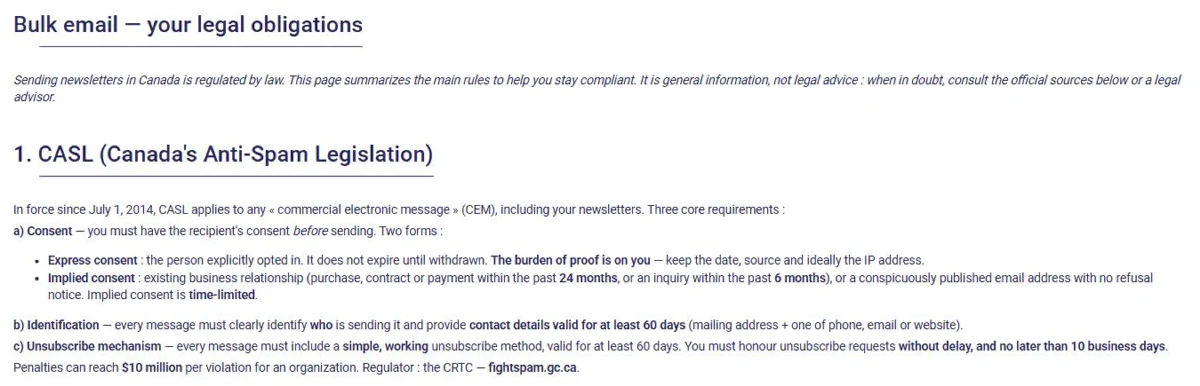
A page in the module summarizes your obligations. Only one remains in your hands: write only to people who agreed to receive your newsletters.
Your newsletters are sent from your own domain name (for example, info@yourclinic.com), which helps them land in the inbox rather than the spam folder.
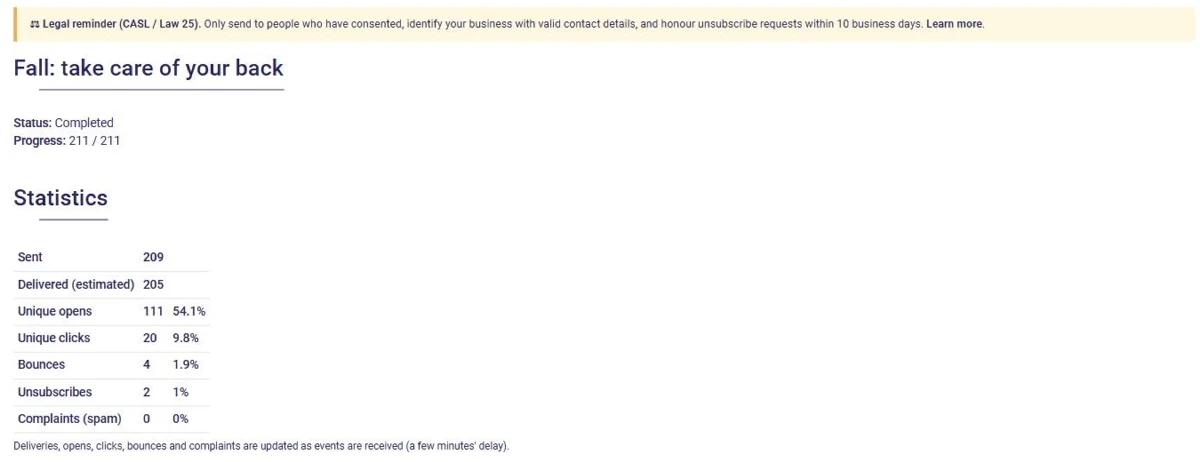
After each mailing, track how many emails were delivered, opened and clicked, as well as bounces (invalid addresses) and complaints. The numbers update as events come in.
Not sure what to write about? Here are three simple ideas that work well:
The Newsletters module is added to your plan based on how many emails you send each month: from $8 per month for 2,500 emails (taxes extra). All tiers are shown on the Newsletters module page.
Already using AssisTime? Email us at info@lassistemps.com to activate the module. Not a client yet? Try AssisTime for free.
Subscribe to our one-month free trial, without commitment!
You will be charmed by the interface and the ease of use!